Dashboard
See income, spending, savings transfers and what’s left across the year. Choose a month to see what you planned and what happened.
Track household income, spending and savings month by month. See what’s left from January to December and how the whole year adds up.
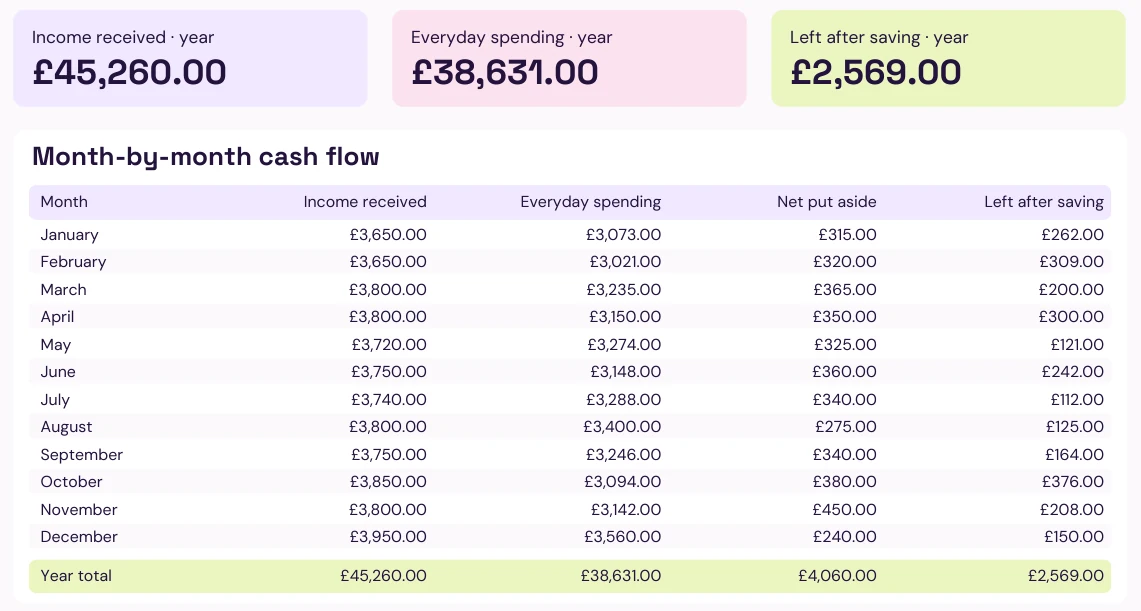
See income, spending, savings transfers and what’s left across the year. Choose a month to see what you planned and what happened.
Enter planned and actual income and planned spending in twelve monthly columns. See logged expenses and annual totals automatically.
Keep one dated spending log for the year. Expenses and refunds go into the right month and category automatically.
Track what you add and take out each month, with separate balances for savings pots and investment accounts.
Your figures stay in your Excel file. The workbook uses pounds sterling.